Your company's payroll and team, in a single program
FacturaGesTOTAL RRHH calculates payroll, prepares social security contributions and tax forms, and also runs people's day-to-day: clock-ins, holidays, shifts, recruitment, training and the employee portal on every employee's phone. In the cloud, on your Windows computer or both at once.
- Always up to date with the law: we check the Official State Gazette (BOE) every day and load each year's contribution bases, caps, rates, minimum wage and income tax tables as soon as they are published.
- Help on every screen: press F1 and it explains what each field is and how to fill it in.
- For one company, a group or an advisory firm with hundreds of clients.
- Nora, our AI assistant, answers your questions about employment law and the software: ask her.
No commitment · From 19 € a month · Every screen in the demo

Stop jumping between five programs
Many companies keep payroll in one program, clock-in in another, holidays in a spreadsheet and CVs in their inbox. Here it's all together and connected: what an employee clocks or requests on their phone reaches their payslip without retyping.
Complete payroll
Collective agreements with their pay scales and reviews, extra payments prorated or paid separately, sick leave with top-ups, overtime, arrears, garnishments using the minimum wage table, loans, allowances and flexible remuneration.
See payroll →Social security and tax
SILTRA files, registration, Contrat@, accident reports, employer certificates, ERTE furloughs, forms 111, 190, 145 and 216/296, with a reconciliation of amounts paid against amounts declared.
See compliance →Employee portal
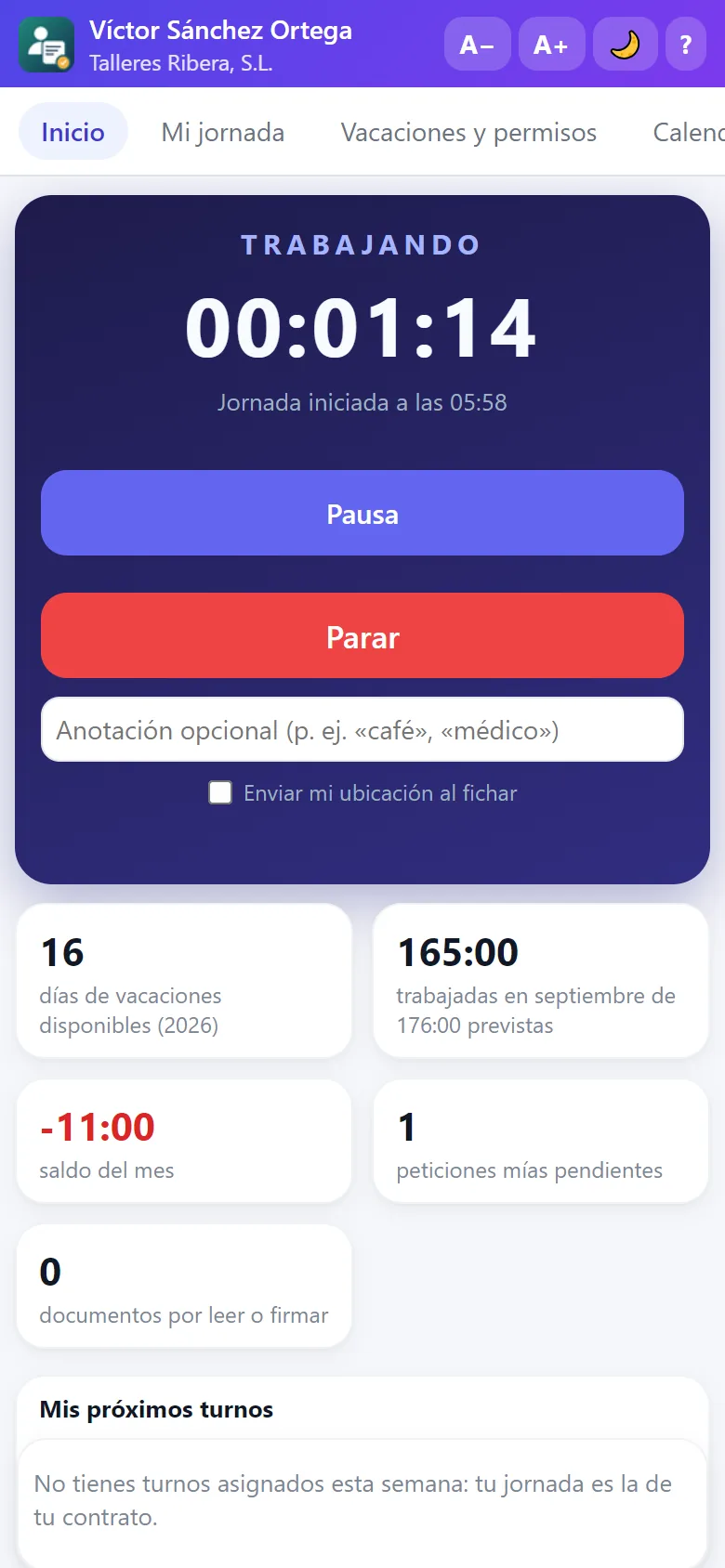
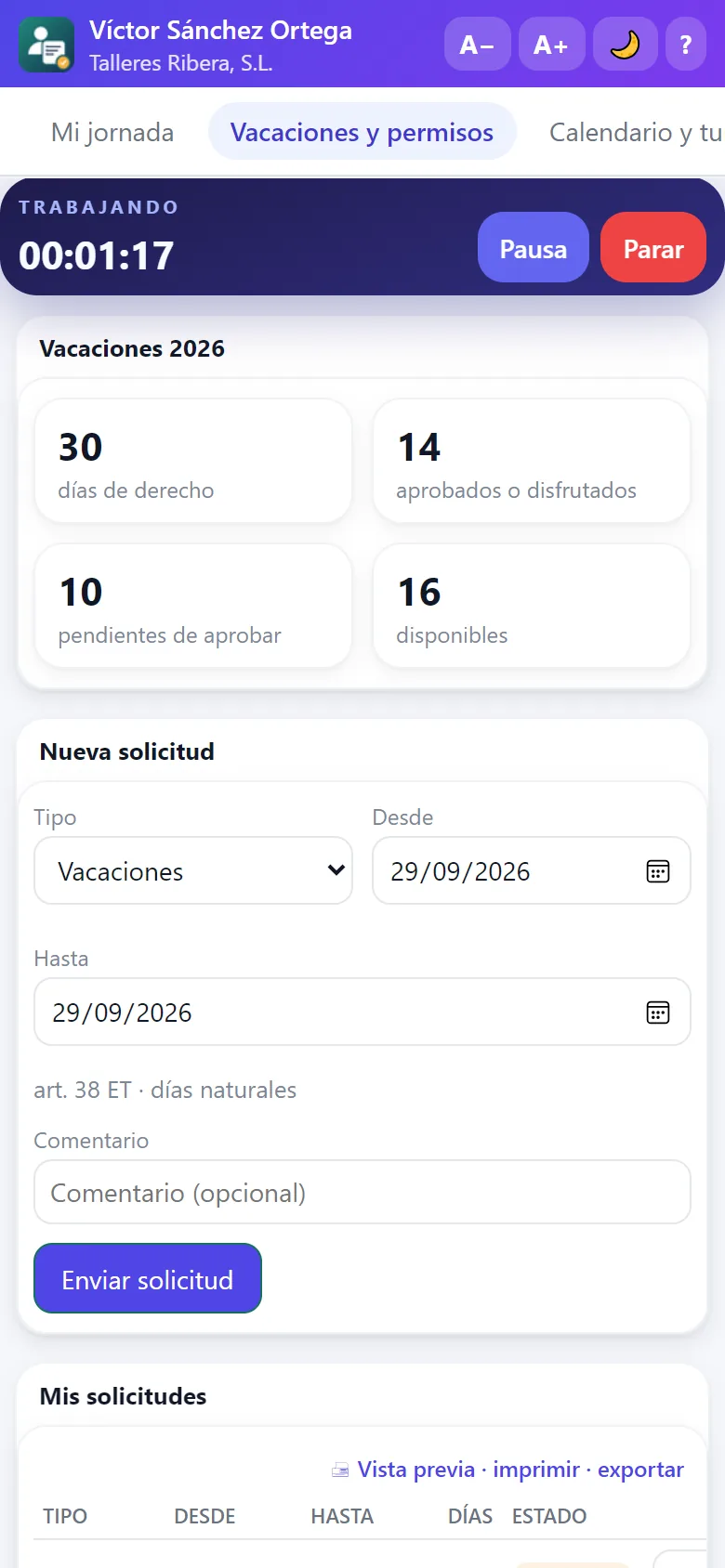
Each employee clocks in, requests holidays, downloads their payslips, signs documents, uploads expense receipts and checks their shift from their phone, tablet or computer. No paperwork and no phone calls.
See the portal →Working time record
Clock-in on the phone, on Windows or at a kiosk with a QR code at the entrance. Tamper-proof record, corrections with a reason, hours bank, shift rotas and alerts for anyone who hasn't clocked in.
See the apps →Talent and recruitment
Vacancies published on your careers page and on Google for Jobs, candidates by stage, onboarding and offboarding, cascading objectives, reviews, training with FUNDAE credit and climate surveys.
See all features →Designed for advisory firms
Unlimited companies, batch calculation and closing, payslips, social security, form 111 and journal entries sent to each client, a document archive for every client, billing for your services and an easy move from the software you use today.
See for advisory firms →Real program screens
No mock-ups: these are FacturaGesTOTAL RRHH screens with the demo data (an advisory firm with three companies and thirty fictitious employees). Click any of them to see it at full size.


A program that explains itself
We designed it so that anyone in administration can use it, not just a payroll specialist. Every screen has its “? Help” button (or the F1 key) explaining what it does, how each field is filled in and what the regulation says. And if something doesn't add up, the program warns you before it reaches Social Security.
- Help on every screen, in the cloud, on the desktop and in the employee portal.
- Larger or smaller text with A+ and A−, to work comfortably on any screen.
- Expiry alerts: contracts ending, probation periods, medical check-ups, work permits.
- Print preview and printing of any list (Ctrl+P) and export to PDF, Excel or Word.
- AI assistant that answers questions about your data and about the program.

Cloud, desktop or both at once
The cloud version and the Windows program are the same program, screen by screen. You can start with one and move to the other without losing anything, or use both: the desktop in the office and the cloud for the employee portal, clock-in on the phone and the careers page.
- In the cloud: sign in from any browser; backups and updates are on us.
- On the desktop: your data on your computer or server, with several workstations on the local network.
- Synchronised: clock-ins, holidays, expenses, vacancies and candidates travel between the two automatically.

Ask Nora, your employment expert
Nora is this website's artificial intelligence assistant. She knows about Spanish employment law, payroll, Social Security, personal income tax (IRPF) and human resources, with the 2026 figures, and she knows every screen of FacturaGesTOTAL RRHH. Ask her in writing or with a voice note, in your language.
- Employment and payroll: final settlements, sick leave, holidays, contracts, contribution bases and rates, and tax withholding.
- The software: where everything is and how it's done, step by step, before you sign up.
- In 8 languages and with voice: she replies in the language you speak to her in and, if you like, out loud.
- Law in hand: she checks the current text in the BOE (Workers' Statute, Social Security and the rest of employment law) and quotes the article.
- Instant: she writes the answer as she thinks it through, reads it to you in a natural voice, and common questions are answered right away.
- Inside the software too: in the cloud she knows which screen you're on and guides you step by step (€5 of usage per month included).
She gives general information: for a specific case, always check with your adviser.

Everything the law requires, already solved
Employment obligations keep growing. FacturaGesTOTAL RRHH includes them as standard, even in the Basic edition, because they are mandatory for any company from its first employee.
Time recording
Art. 34.9 of the Workers' Statute: a daily, tamper-proof record available to the Labour Inspectorate, with justified corrections.
Pay register
RD 902/2020: averages and medians by sex, group and job, with the gap calculated.
Equality
RD 901/2020: equality plan assessment with workforce, contracts, training and pay.
Whistleblowing channel
Law 2/2023: anonymous or named reports, with their deadlines, follow-up and register.
Contract information
RD 723/2026: a document with all the conditions before work starts and every change in writing, with acknowledgement in the portal.
What applies to your size
Equality plan, harassment and LGTBI protocols, disability quota, mobility plan, contractors and representatives: what applies to you and what is missing.
Data protection
Record of processing activities (art. 30 GDPR) and blocking and anonymisation of former employees.
Social security
SILTRA, registration, Contrat@, sick leave and accident reports, employer certificates and ERTE furloughs.
Tax
Forms 111, 190, 145 and 216/296, with the income tax rate calculated as the regulations require.
Prevention
Risk assessment, PPE handovers with acknowledgement and health surveillance.
Your employees will have it in their pocket
The employee portal works on iPhone, iPad, Android and any computer, and installs on the home screen like any other app. For those without a company phone there is a clock-in kiosk with a QR code and a Windows app.
Pay only for what you need
Three editions with the same payroll engine. Change edition whenever you like: the menu adjusts instantly.
Basic
Self-employed and micro-businessesSME
Companies and groupsAdvisory
Advisory and payroll firmsWhat people usually ask us
Can I bring the data from my current payroll program?
Yes. We have importers for the most widely used payroll programs in Spain: companies, employees, contracts, collective agreements, pay items, payroll history and ongoing sick leaves. If you come from another one, import the 190 tax return and the Social Security report of employees on the payroll (any program has them), a DBF table or an Excel file, or connect your cloud HR tool with its key. Then the «Compare with the previous program» screen calculates your payslips here and compares them one by one with the imported ones, so you start with the peace of mind that everything matches.
Do I have to install anything?
In the cloud, no: you sign in from the browser. If you prefer the Windows program, it installs in a minute and works as a 30-day trial with everything included. The employee portal doesn't need an app store either: it installs from the phone's browser.
What happens to my data if I cancel?
It's yours. You take a full copy with you and, if you had the desktop version, it stays on your computer. No minimum term and no penalties.
Is it up to date with changes in the law?
Yes. Contribution bases and caps, rates, the minimum wage, the MEI and income tax tables are updated every year, and regulatory changes arrive with the updates, at no extra cost.
How many people can work at the same time?
In the cloud, as many as you like, each with their own user, profile and the companies they can see. On the desktop, as many workstations as your licence includes, sharing the same data on the local network.